
Manual process library
Creator SOP Pack
Turn repeated AI-assisted work into a clear process you can run, review, and improve.
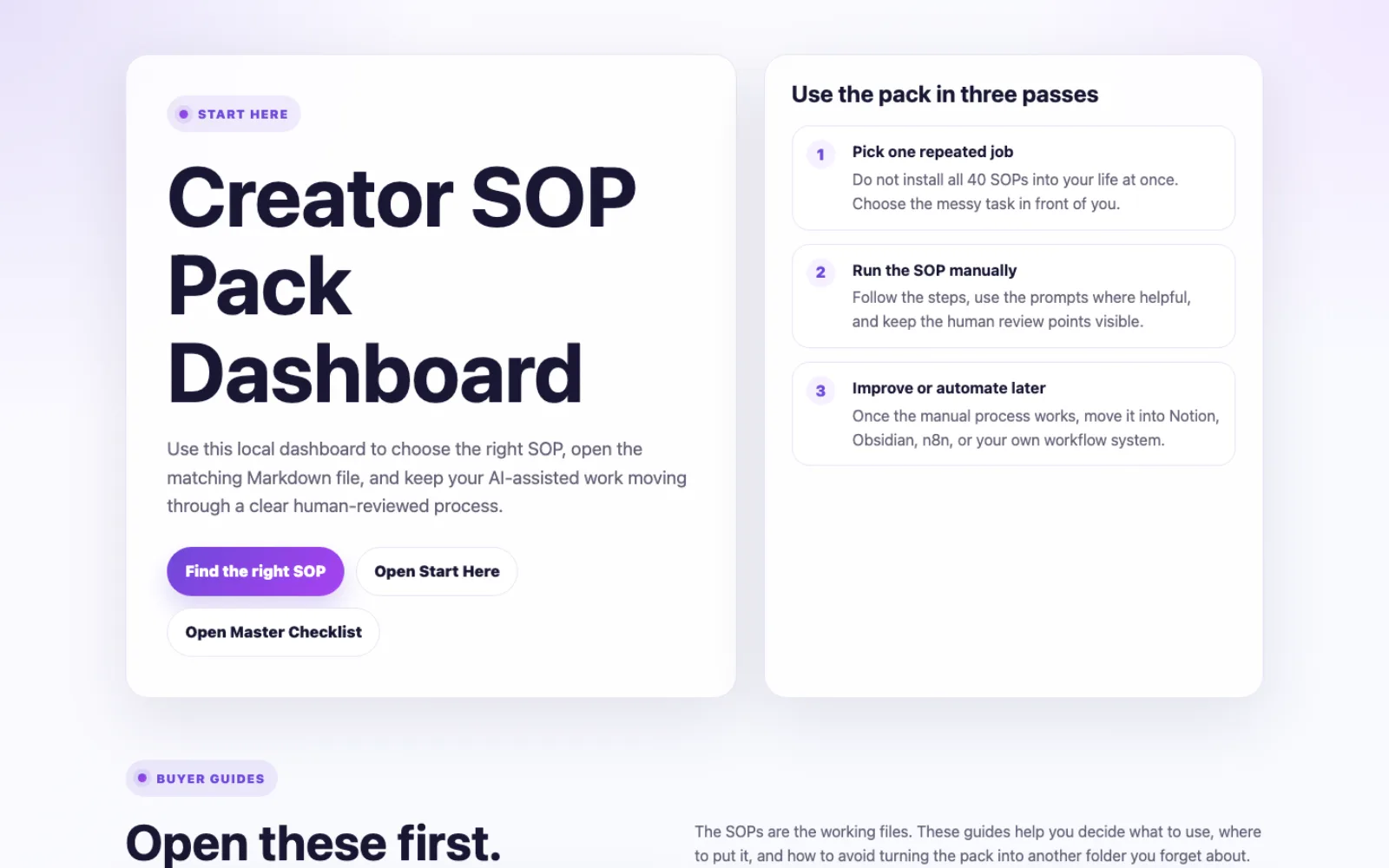
For creators and small teams who are tired of rebuilding the same work from chats and half-finished notes. Stop carrying the whole process in your head. Use 40 editable Markdown SOPs, a local start page, examples, and review checklists to make the next run easier to follow. No n8n or hosted AI subscription is required.
$19 USD, one time. Delivered as a Google Drive download after purchase. Use the pack in a local folder, Obsidian, Notion, Google Docs, or a team knowledge base.
Start here by job
Choose the kind of work that is creating friction today.
You do not need to browse all 40 SOPs. Pick the closest job, open one matching process, and use it with real work.
Plan or write
Start with idea capture, a search-intent brief, rough notes to draft, or a brand-voice review.
Publish or improve
Start with editorial preflight, internal links, image SEO, or a schema review.
Build or hand off
Start with workflow preflight, a human-review gate, distribution preparation, or an operations SOP.
A quick look inside
Forty SOPs, organized by the job in front of you.
The included start page helps you begin with the job in front of you instead of browsing a generic template pile. Each SOP gives you a purpose, inputs, steps, a quality gate, and a definition of done.
- 40editable Markdown SOPs
- 6workflow categories
- 5filled examples
Plan content
Idea Capture to Content Backlog
Search Intent Brief
Rough Notes to Draft
Write and edit
Brand Voice Review
Practical Example Expansion
Final Editorial Preflight
Publish and improve
Internal Link Review
Image SEO Pass
Schema and Rich Result Review
Build workflows
Workflow Idea Preflight
Human Review Gate Design
Workflow Release Preflight
Prepare distribution
LinkedIn Post Builder
Social Caption Quality Check
AI Art Prompt Brief
Run operations
Product Page Review
Partnership and Review Request SOP
Representative titles only. The full library, guides, examples, and checklists are included after purchase.
What it fixes
The work is repeated. The process should not have to be rebuilt every time.
Many AI-assisted tasks go sideways for process reasons, not prompt reasons: unclear inputs, skipped source checks, vague handoffs, and polished output nobody actually reviewed.
The Creator SOP Pack gives those recurring jobs visible steps, a human quality gate, and a definition of done. Use one SOP at a time, adapt it to your tools, and automate only after the manual version earns that complexity.
The operating loop
Trigger → Checklist → Quality Bar → Handoff → Review
This is the working pattern behind the pack. It gives a recurring job a clear start, a visible standard, and a next action. The SOP supports your decision-making; it does not make the decision for you.
- TriggerName the repeated job worth making clearer.
- ChecklistGather the inputs and follow the steps in order.
- Quality BarUse the review gate to catch weak or unsupported output.
- HandoffRecord what moves next, where it goes, and who owns it.
- ReviewKeep, revise, or stop the work before it creates a larger mess.
See one complete SOP
Judge the working format before you buy.
Below is the complete SOP 18: Internal Link Review sample from the pack: its purpose, inputs, process, review gate, prompt block, failure modes, and definition of done.
SEO and publishing
SOP 18: Internal Link Review
Use this SOP to add internal links that help readers and search engines understand how your content connects. The goal is clean navigation and topical authority, not link stuffing.
Best used when
- Publishing a new article or updating an older one
- Building a content cluster or cleaning up orphaned support articles
Inputs needed
- A new or existing article
- A relevant pillar and supporting articles
- The reader journey and, where relevant, the next useful product or newsletter path
Process
- Identify the article’s main topic.
- Choose the best-fit pillar and genuinely helpful support pages.
- Add natural links, then remove links that distract from the reader’s path.
Human review gate
If a link does not help the reader, remove it. Good internal linking should feel like guidance, not machinery.
Definition of done
Record outbound links, inbound-link candidates, readable anchor text, links to avoid, and the intended reader path.
Copy-paste prompt block
You are helping me review internal links for an article.

New or updated article:
[paste title, URL, and summary]

Pillar pages:
[paste pillar URLs]

Related articles:
[paste related titles or URLs]

Reader goal:
[paste what the reader is trying to do]

Suggest:
1. Links this article should include
2. Existing articles that should link back
3. Natural anchor text
4. Links to avoid
5. Why each link helps the reader

Do not recommend a link unless it makes sense in the article.
Common failure modes
- Linking every related keyword
- Adding product links to every article
- Using anchors that sound unnatural
- Forgetting inbound links after publishing
Optional automation notes
This can become an internal-link workflow: pull published content inventory, suggest candidates, have a human approve, then update selected articles manually or through a CMS API.
Related resources
Use this with Content Pillar Mapping and Closing CTA Cleanup.
This is one complete SOP from the pack. The paid pack includes 39 additional SOPs across planning, writing, SEO and publishing, workflow building, distribution, and operations.
First session
Your first useful session
You do not need to implement all 40 SOPs. Start with one repeated job that is already costing you time or attention. A realistic first-week result is one recurring job run through an SOP with defined inputs, review gates, handoffs, and a definition of done, then saved in the place you already work.
- Open the local dashboard or Start Here guide. They point you toward the right type of job.
- Choose one repeated task. Pick something you already do, such as cleaning up a draft, checking research, planning content, or documenting a workflow.
- Run the matching SOP with real inputs. Use its steps and prompt block as a starting point, then make the calls your work requires.
- Review the output against the quality gate. Revise, hold, or stop if the result is weak, unsupported, or off-brand.
- Save the useful version. Adapt the process into your notes, documentation, or future automation only after it works manually.
Good fit
Choose the Creator SOP Pack if…
- You repeat creator, review, publishing, research, or workflow tasks and want a clearer manual way to run them.
- You want AI to support judgment, not quietly replace it.
- You work in Markdown, Obsidian, Notion, Google Docs, local folders, or a team knowledge base.
- You want to make the process dependable before adding automation.
Probably not for you
This is not the right next step if…
- You want a done-for-you automation or a connected n8n system today.
- You are looking for a tool that publishes, sends, or decides without your review.
- You do not have a repeated job to improve yet. Start with the Free SOP Library instead.
- Your process is already defined but the planning and documentation are scattered. The AI Workflow Command Center may fit better.
The package
What is included, and what that lets you do
Run a real process
- 40 reusable Markdown SOPs across six workflow categories
- Filled examples, a blank SOP template, and a master review checklist
- Use them to stop reconstructing recurring review and publishing steps from memory
Start without a setup project
- A local
dashboard.htmlstart page and buyer guides - A browser and a place to save and work with the files are enough
- No n8n or hosted AI subscription is required
Keep the boundary clear
- Optional tools you choose later may have their own costs
- Custom implementation, consulting, and done-for-you automation are not included
- Every SOP still needs your context and judgment
Clear delivery and use terms.
Everything you need to know before you decide: what arrives, what it requires, and where the responsibility stays.
What you get
The Markdown SOP library, local dashboard, buyer guides, examples, templates, and review checklist described on this page.
What you need
A browser and a place to save and use the files. n8n and a hosted AI subscription are not required for the pack itself.
What happens first
Save the Google Drive download, open the dashboard or Start Here guide, and choose one repeated job to improve.
Purchase details
- Delivery
- Google Drive download access after purchase.
- Setup effort
- Low. Start with one repeated job, open the matching SOP, and adapt it to your working tools.
- Support
- Email support covers access and delivery issues, not custom implementation.
- Not included
- Custom implementation, consulting, managed software, or a done-for-you automation.
- License
- Use for one person or one business; do not resell or redistribute the pack.
- Updates
- The purchase includes the version described here; future updates are not promised.
- 14-day promise
- If it is not right for you, message GetPrompting within 14 days of purchase. GetPrompting will help resolve the issue or refund the purchase.
How to request help or a refund
- Email michael@getprompting.com within 14 days of purchase.
- Include the product name, purchase email, and a short note about what did not work.
- GetPrompting will respond with the simplest useful resolution: access help, a fit clarification, or a refund to the original payment method.
One-time purchase
Start with one process you can see and control.
Get the full process library, local start page, guides, examples, templates, and review checklist. Delivery is through a Google Drive download after purchase.
The purchase covers the version described here. Future updates are not promised. If the pack is not right for you, email GetPrompting within 14 days and we will help resolve the issue or refund the purchase.
Compare before you decide
Choose the smallest system that solves the current problem.
Use the process products when clearer execution or planning is the problem. Choose the technical system only when connected n8n execution is already the job.
Process maturity path
Clarify how work should run, then preserve the decisions that make it repeatable.
Creator SOP Pack · $19
Clear steps and review gates for manual repeated work.
Current pageAI Workflow Command Center · $29
Plan, score, test, and document workflow candidates in Notion.
See the Command CenterStart with the Free SOP Library if you want a smaller sample first.
Adjacent technical system
The Creator Workflow System is a separate n8n product. Choose it when you are ready to configure connected execution; the Creator SOP Pack is not a prerequisite.
See the Creator Workflow SystemQuestions before you buy
Questions, answered plainly.
Is this useful if I work alone?
Yes. The pack is built for solo creators as well as small teams. A local folder and one repeated task are enough to begin.
Do I need n8n, Notion, or a paid AI tool?
No. The delivered SOPs are Markdown files and can be used manually. You can adapt them to tools you already use, including Notion, Obsidian, Google Docs, or a local folder.
How quickly can I start?
Open the included dashboard or Start Here guide, choose one repeated job, and run the matching SOP with real inputs. The goal is one useful review cycle, not a full system rollout.
How much do I need to adapt?
Most SOPs are ready to run once you replace the bracketed inputs and name the tools you already use. After the first run, adjust the owner, quality bar, and handoff only where your process genuinely differs.
Can I use the pack for client work or inside one business?
Yes, within the included license scope: one person or one business may adapt the processes for internal work and client work, but the full pack may not be resold or redistributed.
Are updates or implementation included?
The purchase includes the version described here. Future updates and custom implementation are not promised; support covers access and delivery issues.
What if it is not right for me?
Email GetPrompting within 14 days of purchase. We will help resolve an access or fit issue, or refund the purchase to the original payment method.