
What is ElevenLabs, really?
ElevenLabs is an AI audio platform. Put simply, it turns written words into a voice you can listen to, download, or pass into another tool. It also has bigger creative features around dubbing, music, sound effects, voice design, and agents, but text-to-speech is the part that made sense to test first.
A good voice demo is easy to make. The more useful question is whether the tool can take approved text and turn it into an audio asset without becoming one more fragile thing to babysit.
That is what this ElevenLabs review is here to answer: does the tool help you finish useful work, or does it just make a nice-looking demo?
Disclosure: This article includes an ElevenLabs affiliate link. If you sign up through it, GetPrompting may earn a commission at no extra cost to you. That relationship does not determine the review or recommendation.
Two simple ways to use it
For this example, I kept it simple: one short voice generation in the ElevenLabs dashboard, then one API call through a local n8n workflow. Both start with the same basic idea: approved text goes in, an MP3 comes back out.
The dashboard route is the fast one. Pick a voice, paste the script, listen, and download the result. I used Adam with Eleven Multilingual v2 for the sample below.
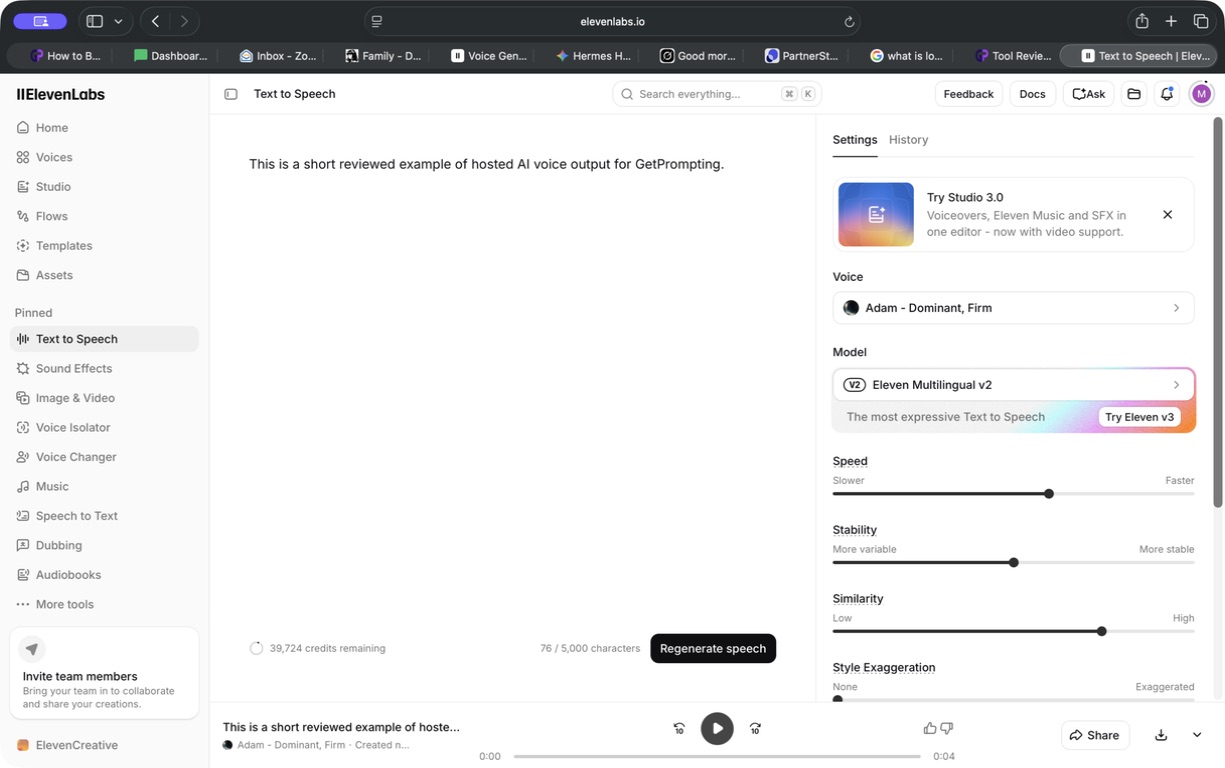
Listen to the browser sample:
The API route is for work you expect to repeat. This n8n workflow starts manually, accepts text, fetches a voice, sends the request to ElevenLabs, and returns an MP3 artifact. On this run, it selected Roger, a different voice from the dashboard sample.
If you want the exact setup behind that handoff, including dynamic voice selection, binary MP3 handling, and a review-friendly test path, read how to use ElevenLabs with n8n.
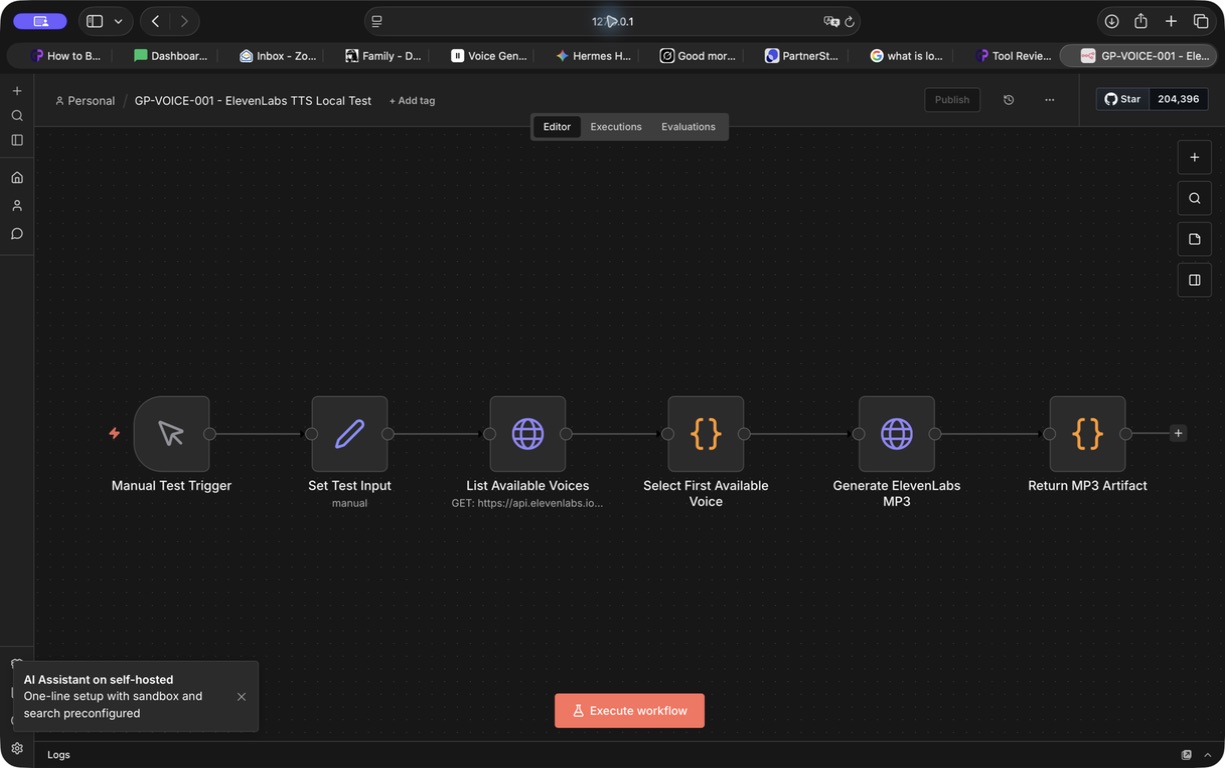
Listen to the n8n API sample:
These samples are intentionally short. They show the difference between making one file in the dashboard and making the same kind of file as a repeatable workflow step. You still need to listen for product names, acronyms, pacing, and the odd sentence that sounds fine on screen but wrong out loud.
Where ElevenLabs fits in real work
Yes, video voiceovers are the obvious fit. But the more interesting uses tend to be the unglamorous little gaps around real work.
A technical demo can keep one clear narration track while you update the screen recording. Meeting notes can become a short audio recap someone can hear on a walk instead of hunting through a document. A tutorial can include an audio companion for people who would rather listen than scan a long page. Product-release notes, internal briefings, onboarding steps, and a first-pass localized script can all start as text you already have.
That is where the API matters. You are not asking a voice tool to invent the message. You are giving a reviewed message another useful format, then saving the result somewhere a person can check it before it gets attached to a demo, article, email, or client deliverable.
The key word is approved. ElevenLabs is not the writer, editor, fact-checker, or publisher in that chain. It is the voice step after those jobs are done.
That small boundary matters. A confident voice does not make unreviewed words more accurate. It just makes them easier to hear.
It is more than a voice generator now
Text-to-speech is still the clearest place to start, but it is no longer the whole product. ElevenLabs now puts image and video generation, lip sync, and an avatar workspace alongside its voice tools. Its main workspace also surfaces music, sound effects, speech-to-text, dubbing, voice changing, and voice isolation.
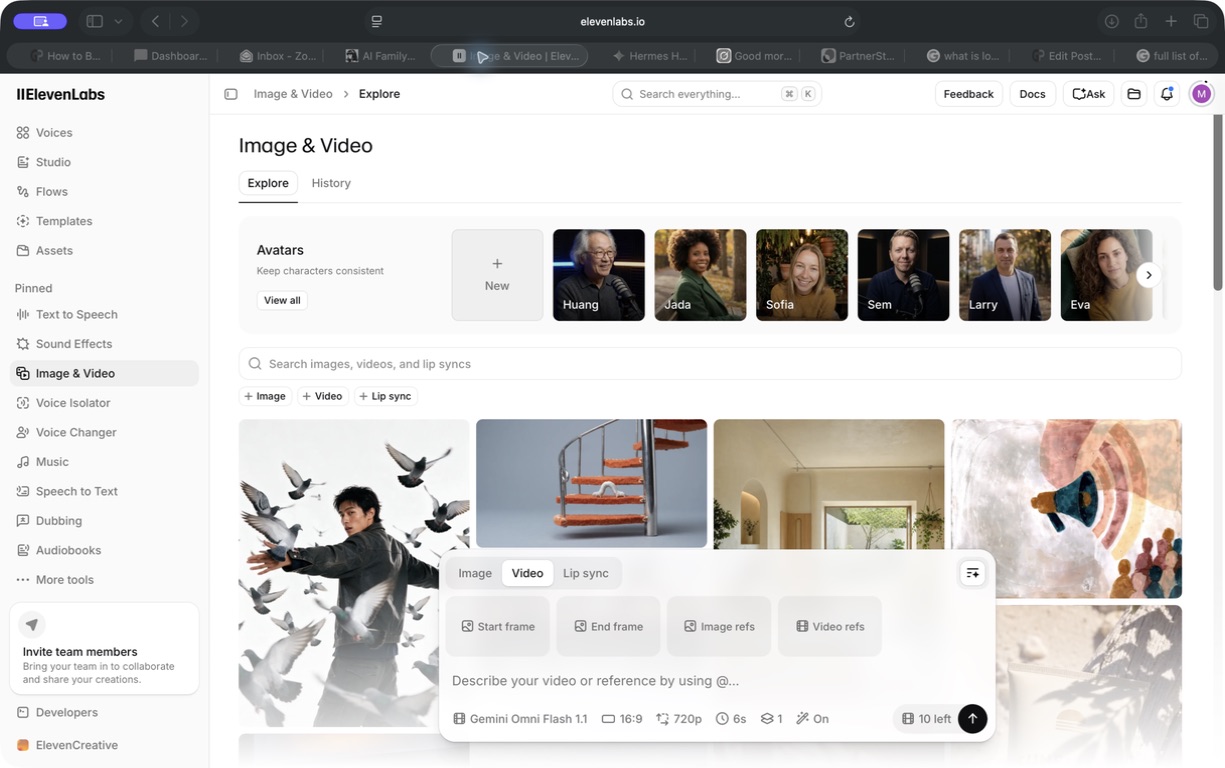
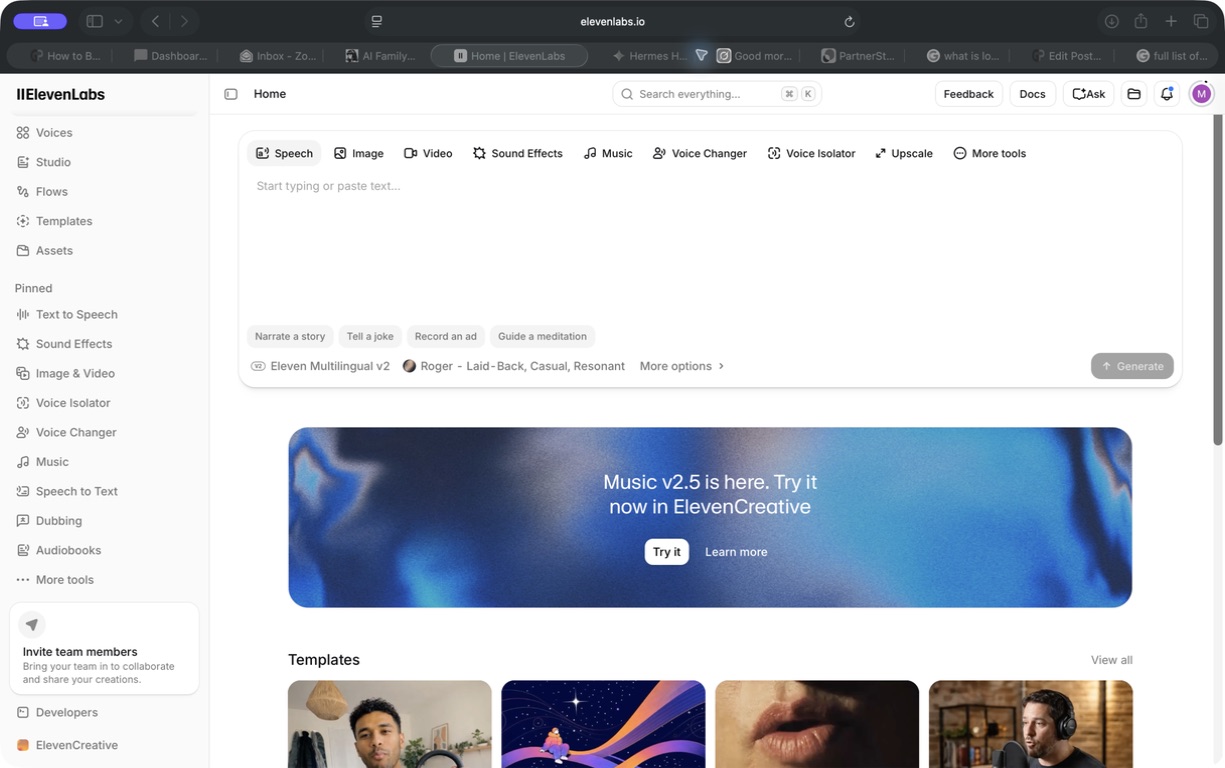
That is useful if you are building a small content workflow, not just recording a one-off narration. A technical demo could pair a stable voice track with a product clip. A course lesson could use a light music bed or a sound effect where it actually helps. A meeting recap could start as speech-to-text, become a short written summary, then turn into a spoken update for the person who would rather listen.
I have not run every one of those modes through a production workflow, so I would not sell them to you as tested recommendations. The screenshots show the current scope. The voice-generation and n8n paths above are the parts I actually put through this review.
The workflow I would actually keep
If I were using this for a repeatable GetPrompting process, I would keep the shape simple:
- A person approves the final script.
- n8n sends that exact text to ElevenLabs through a managed credential.
- The workflow saves the returned MP3 where it can be reviewed.
- A person listens for names, acronyms, pacing, and anything that feels off.
- Only then does the file move into a video, article, email, or other delivery step.
That is not glamorous. It is also the part that makes the tool useful. The API call is the easy bit. Deciding whether the audio is good enough for your audience is still a human job.
If you are deciding where that audio step belongs in a larger system, start with the AI Workflows guide. It covers the inputs, review gates, automation, and useful outputs that should be clear before you add another tool.
If you are learning that workflow mindset, the free n8n workflow library is a better next stop than trying to build a huge voice system all at once.
Where I would be careful
Do not judge a voice tool using only a friendly sentence. Test the names, acronyms, technical terms, and awkward transitions that show up in your real work. That is where a nice demo can turn into a few more rounds of regeneration than you expected.
Before you commit to a paid workflow, check the current ElevenLabs pricing, API pricing, and commercial-use terms directly. Those details change. If the hosted route is the right fit, you can try ElevenLabs. A free test is not the same thing as a commercial production workflow.
Finally, hosted convenience is a tradeoff, not a default. If your material is sensitive, needs to stay offline, or would be cheaper to run locally at your volume, a local text-to-speech route may be the better system. ElevenLabs earns its place when speed, voice quality, and API convenience are worth sending the job to a hosted service.
If you are choosing between that hosted convenience and a local runtime, the Qwen TTS vs ElevenLabs comparison walks through the setup, maintenance, data-boundary, and workflow tradeoffs without treating either path as the automatic winner.
The GetPrompting seal of approval
ElevenLabs earns it for a specific job. It is a strong hosted option when you have approved words and need a good voice file quickly, either from the dashboard or as one controlled step inside a workflow.
That recommendation is based on what this review actually showed: a direct dashboard generation and a local n8n-to-MP3 path both produced files we could listen to and review. The broader creative suite makes the platform more interesting, but it is not why I am recommending it yet.
Use it to remove friction after the message is ready. Do not use it as a reason to skip the message, the listen-back, or the final decision. If that boundary sounds obvious, good. That is exactly why this is a tool worth keeping in the stack.
Practical next step
Trying to decide if a tool fits your workflow?
A useful tool still has to fit the process around it. If you are comparing tools, automations, or handoffs, start by mapping what the workflow actually needs to do.
Use the free guides, workflow examples, SOPs, and reviews to pressure-test the idea before adding more moving parts.
Browse GetPrompting resourcesFor fragile workflows or early automation ideas, Michael can help identify whether the next move is cleanup, a prototype, validation, or a pause.
Ask Michael to review it